DSC05987

Melbourne Wedding Photography – Enhancing the Texture of Wedding Photos in the Post-Production Stage

Enhancing Wedding Dress Texture in Post-Processing for Melbourne Wedding Photography

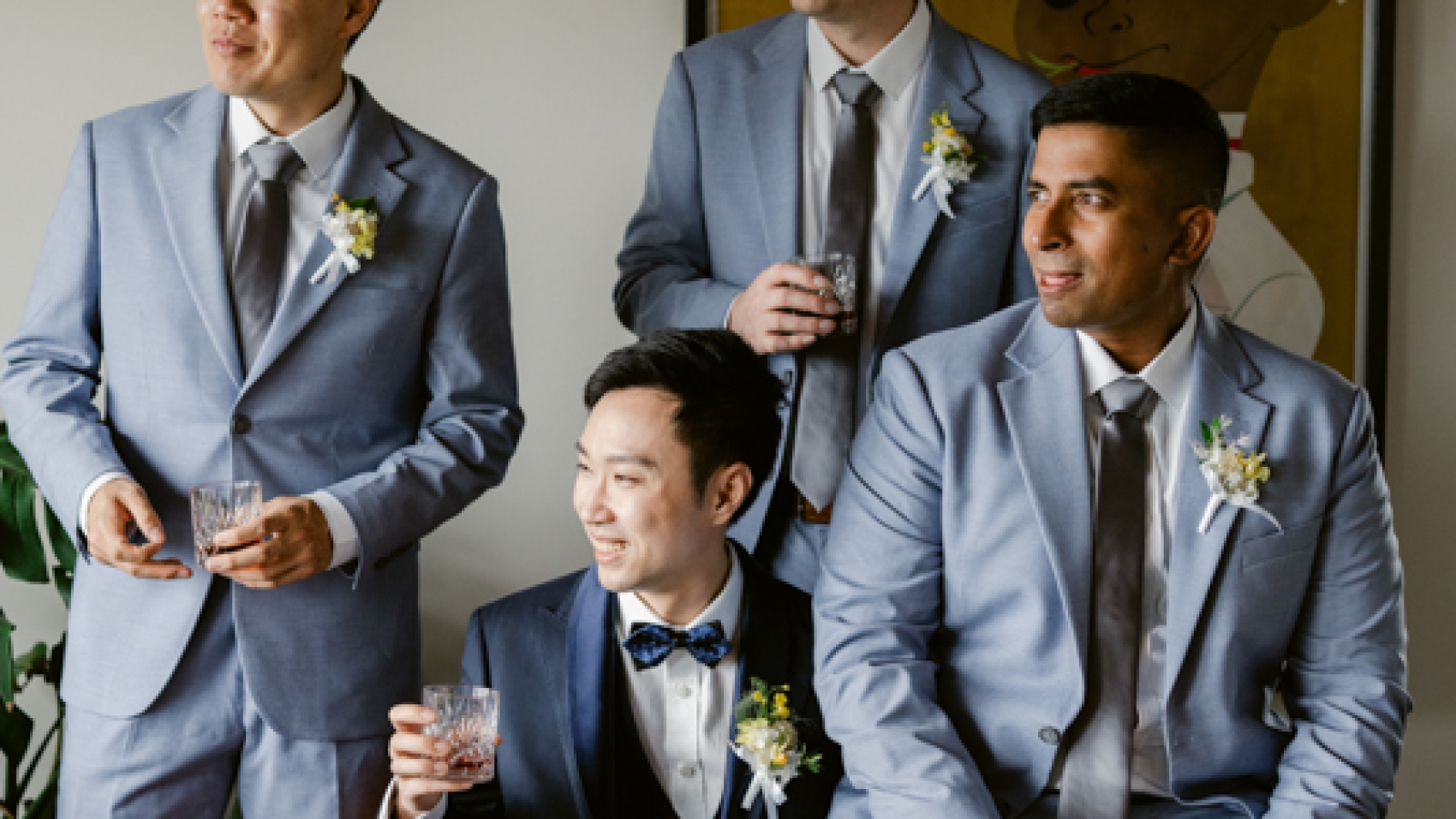
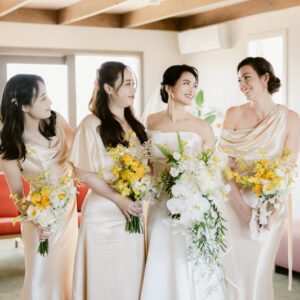
The wedding dress is often the centerpiece of bridal portraits, and capturing its intricate details and luxurious texture is essential for creating timeless images. In Melbourne’s diverse photography settings—from coastal beaches to historic gardens—the right post-processing techniques can elevate the dress’s appearance, ensuring it stands out in every frame. Here’s how to refine and enhance the fabric’s texture for a polished, professional finish.

wedding photography melbourne

Understanding the Role of Light in Dress Texture

Light plays a critical role in how textures appear in photographs. Soft, diffused light—common in Melbourne’s overcast days or during golden hour—can highlight delicate details like lace or beading without creating harsh shadows. Conversely, harsh midday sunlight may wash out textures or create uneven highlights. Post-processing allows you to correct these issues and emphasize the dress’s natural beauty, regardless of the original lighting conditions.

Adjusting for Natural Light Variations

Melbourne’s weather can be unpredictable, with sunny spells followed by sudden cloud cover. If the dress appears flat or overly bright due to direct sunlight, reducing the highlights and increasing contrast can restore depth and dimension. For example, if the bodice’s beading looks lost in bright light, gently darkening the surrounding fabric can make the details pop. Similarly, if the skirt appears too dark in shadowy areas, lifting the shadows slightly can reveal hidden textures without overexposing the image.

Balancing Indoor and Outdoor Lighting

Many Melbourne wedding shoots transition between indoor and outdoor venues, such as moving from a chapel to a garden reception. Indoor lighting—whether artificial or natural through windows—can cast color tints on the dress, such as yellow or blue hues. Using white balance adjustments, you can neutralize these tints and restore the dress’s true color. For instance, if fluorescent lighting gives the dress a greenish tint, shifting the white balance toward warmer tones can counteract the effect and create a more natural look.

Refining Fabric Details Through Targeted Adjustments

The dress’s texture is defined by its fabric type, embellishments, and construction. Post-processing allows you to enhance these elements individually for a customized result.

Enhancing Lace and Embroidery

Lace and embroidery are common features in wedding dresses, adding elegance and intricacy. However, these details can easily blend into the fabric if not properly highlighted. Using the clarity slider, you can increase the mid-tone contrast of the lace or embroidery, making the patterns stand out against the background fabric. For finer adjustments, the brush tool can target specific areas, allowing you to boost contrast or sharpness only where needed. This technique works particularly well for delicate details like floral appliqués or vine-like embroidery.

Sharpening Beading and Sequins

Beaded or sequined dresses catch the light beautifully, but capturing their sparkle can be challenging in low-light conditions. To make these elements shine, use the sharpening tool selectively on the beads or sequins. Avoid applying sharpening to the entire dress, as this can create a grainy appearance in softer fabrics like tulle or chiffon. Instead, zoom in on the embellishments and adjust the sharpness until they glisten without looking artificial.

Smoothing Silk and Satin Surfaces

Silk and satin dresses have a smooth, reflective quality that can appear either luxurious or overly shiny depending on the lighting. If the fabric looks too glossy, reducing the highlights and adding a subtle matte effect can soften its appearance. Conversely, if the silk appears dull or flat, increasing the clarity slightly can restore its natural sheen. For satin, pay attention to folds and creases—enhancing their contrast can add depth and dimension to the fabric.

Correcting Common Texture Issues in Post-Processing

Even with careful shooting, certain texture problems can arise. Here’s how to fix them during editing.

Reducing Wrinkles Without Losing Texture

Wrinkles are inevitable in wedding dresses, especially after hours of wear. While some clients may want wrinkles removed entirely, others prefer a natural look that retains the fabric’s character. Using the healing brush tool, you can gently smooth out distracting wrinkles—such as those across the bust or waist—while preserving the overall texture. For deeper creases, the clone stamp tool can copy nearby fabric patterns to fill in the area seamlessly.

Fixing Discoloration or Stains

Spills or dirt can mar a dress’s appearance, but post-processing offers solutions. The spot healing brush is ideal for small stains, as it automatically blends the corrected area with the surrounding fabric. For larger discolorations, such as yellowing on older dresses, the selective color adjustment tool can target specific hues and neutralize them. For example, if a stain appears brownish, reducing the saturation of yellows and oranges can minimize its visibility.

Restoring Faded Details in Older Dresses

Vintage or heirloom dresses may have faded lace or dulled embellishments. To revive these elements, use the dodge and burn tools to selectively brighten or darken areas. For instance, lightening faded lace can restore its delicate appearance, while darkening the background fabric can make the lace stand out more prominently. This technique requires patience but can breathe new life into aging garments.

Final Touches for a Flawless Finish

Once the major adjustments are complete, a few finishing touches can ensure the dress looks its best in every image.

Adding a Subtle Glow to Highlight Areas

A soft glow effect can enhance the dress’s romantic quality, especially in portraits. Using the radial filter tool, create a subtle vignette around the dress and increase the exposure slightly in the center. This draws attention to the fabric while maintaining a natural balance. Avoid overdoing this effect, as it can make the image look overly processed.

Ensuring Consistency Across Multiple Images

If the shoot includes multiple poses or venues, consistency is key. Use presets or saved adjustment settings to apply the same texture enhancements to all dress images. This creates a cohesive look throughout the album, even if lighting conditions varied during the shoot. For example, if you boosted the clarity of lace in one image, apply the same clarity adjustment to all lace-detailed shots.

Trusting Your Artistic Judgment

While technical adjustments are important, the goal is to create images that resonate emotionally. If a texture enhancement feels too harsh or unnatural, dial it back until the dress looks beautiful but still realistic. Your clients chose their dress for its unique style, and your post-processing should celebrate that choice rather than overshadow it.

By mastering these techniques, you can ensure the wedding dress looks stunning in every photograph, whether the shoot takes place in Melbourne’s sun-drenched parks or its moonlit waterfront venues. With careful attention to texture, lighting, and detail, you’ll create images that highlight the dress’s beauty and the bride’s joy on her special day.
DSC05984

Melbourne Wedding Photography – Blues Moments – Post-Processing Color Correction

Mastering Blue Hour Wedding Photography Post-Processing in Melbourne

Melbourne’s blue hour—that magical time just after sunset or before sunrise when the sky takes on a deep, cool hue—offers a dreamy backdrop for wedding photography. However, capturing and enhancing this fleeting moment requires careful post-processing to bring out its full potential. Here’s how to refine your blue hour wedding images for a timeless, romantic look.

wedding photography melbourne

Understanding Blue Hour Lighting in Melbourne

Blue hour occurs when the sun is below the horizon, but its indirect light still illuminates the sky. In Melbourne, this period can vary in duration and intensity depending on the season and location. For example, coastal venues like St Kilda Beach may experience a longer blue hour due to the open horizon, while urban settings near Flinders Street Station might see quicker transitions as city lights begin to dominate.

The Unique Characteristics of Blue Hour Light

During blue hour, the sky shifts from warm sunset tones to cool blues and purples, creating a soft, diffused glow. This lighting minimizes harsh shadows and highlights, resulting in a balanced, ethereal quality. However, the low light levels can make it challenging to capture details without introducing noise or losing color accuracy. Post-processing becomes essential to enhance the scene’s natural beauty while maintaining a clean, polished look.

How Melbourne’s Weather Affects Blue Hour

Cloud cover plays a significant role in blue hour photography. On clear nights, the sky may appear darker and more saturated, while overcast conditions can diffuse the light, creating a softer, more muted effect. For instance, a blue hour shoot at the Royal Botanic Gardens on a cloudy evening might produce gentler blues compared to a crisp, starry night at the Dandenong Ranges. Adjusting your post-processing approach based on weather conditions ensures consistent results.

Essential Post-Processing Techniques for Blue Hour

Achieving a stunning blue hour look involves a combination of technical adjustments and artistic choices. Here are the key steps to refine your images.

Adjusting White Balance for Cool Tones

White balance is critical in blue hour photography, as it determines whether your image leans toward warm or cool tones. Most cameras struggle to auto-adjust during low light, often producing images that appear too warm or neutral. Manually setting the white balance to a cooler temperature—around 3200–4000K—can enhance the blues and purples in the sky without making the scene look unnatural. For example, if the bride’s dress appears slightly yellow under artificial lighting, cooling the white balance can restore its true white color while preserving the blue hour ambiance.

Enhancing Sky Colors with Gradient Filters

The sky is often the focal point of blue hour images, but capturing its full range of colors can be tricky. Gradient filters allow you to target the upper portion of the image—where the sky resides—and adjust its brightness, contrast, and saturation independently. For instance, if the sky looks too dark or lacks vibrancy, gently increasing the saturation of blues and purples can bring out its natural beauty. Similarly, if the horizon appears overly bright due to city lights, reducing the exposure in that area can create a more balanced composition.

Balancing Exposure for Details in Shadows and Highlights

Blue hour’s low light levels can lead to underexposed shadows or overexposed highlights, especially in urban scenes with artificial lighting. Using the exposure slider, you can brighten dark areas—like the couple’s faces or nearby foliage—without blowing out the highlights in streetlights or building windows. For a more nuanced approach, try the shadows and highlights sliders, which allow you to adjust these areas separately. This helps maintain texture and detail throughout the image, ensuring nothing gets lost in the darkness.

Refining Specific Elements in Blue Hour Wedding Photos

Different components of your image may require tailored adjustments to achieve a cohesive look. Here’s how to handle common elements in blue hour scenes.

Perfecting Skin Tones Under Artificial Light

Many blue hour wedding shoots incorporate artificial lighting, such as string lights, lanterns, or city streetlights. While these add warmth and ambiance, they can also cast unflattering color tints on the couple’s skin. To correct this, use selective color adjustment tools to target oranges and yellows in the skin tones and reduce their saturation slightly. This neutralizes unwanted warmth while keeping the overall image cool and balanced. For example, if the groom’s face appears too orange due to nearby lighting, desaturating the oranges in that area can restore a natural look.

Adding Depth to Water and Reflections

Venues near water, like the Yarra River or Brighton Beach, offer stunning opportunities for blue hour photography. However, capturing the subtle interplay of light on water requires careful adjustment. Boosting the contrast in reflective areas—such as the ripples on the river’s surface—can enhance their texture and make them stand out against the cooler tones of the sky. Similarly, if the water appears too dark or flat, increasing its brightness slightly can reveal hidden details without washing out the blues.

Highlighting Architectural Features in Urban Settings

City venues like the Melbourne Town Hall or Eureka Skydeck provide dramatic backdrops for blue hour shoots, but their artificial lighting can compete with the natural sky colors. To make architectural elements pop, adjust the clarity and contrast of buildings or monuments. This sharpens edges and defines details, creating a sense of depth against the soft blue hour glow. For instance, if the Flinders Street Station clocks appear blurry or faded, increasing their clarity can restore their prominence in the image.

Final Touches for a Polished Blue Hour Look

Once you’ve made the major adjustments, a few finishing touches can elevate your blue hour wedding photos from good to great.

Reducing Noise for a Clean Finish

Low light conditions often lead to grainy or noisy images, especially in darker areas like shadows or the sky. Using noise reduction tools in post-processing can smooth out these imperfections while preserving sharpness in key areas like the couple’s faces or architectural details. Be mindful not to overdo it, as excessive noise reduction can make the image look overly soft or artificial.

Sharpening Details Without Overdoing It

A light application of sharpening can enhance textures and make your image appear more crisp. Focus on areas like the bride’s lace veil, the groom’s suit buttons, or the intricate patterns on a venue’s facade. Avoid sharpening the entire image uniformly, as this can create harsh edges or amplify noise in smoother areas like the sky or water.

Trusting Your Creative Vision

While technical adjustments are important, the goal of blue hour post-processing is to evoke emotion and tell a story. If a color adjustment or crop feels right, even if it deviates slightly from “perfect” technical standards, go with it. Your unique perspective is what makes your wedding photography stand out, especially in a city as vibrant and diverse as Melbourne.

By mastering these techniques, you can transform blue hour wedding photos into timeless works of art that capture the magic of Melbourne’s twilight moments. Whether you’re shooting along the Yarra River, in a hidden garden, or amidst the city’s glowing skyline, the right post-processing approach will help you create images that couples will cherish forever.

DSC06081

Color restoration of outdoor wedding photography scenes in Melbourne during the post-production stage

Achieving Authentic Color Restoration in Melbourne Wedding Photography Outdoor Scenes

Melbourne’s outdoor wedding venues offer a stunning array of backdrops, from the vibrant greens of the Royal Botanic Gardens to the dramatic coastlines of Brighton Beach. However, capturing these scenes accurately requires more than just a skilled photographer—post-production color restoration plays a vital role in ensuring the final images reflect the true beauty of the moment. Here’s how to achieve natural, balanced colors in outdoor wedding photography.

wedding photography melbourne

Understanding the Challenges of Outdoor Lighting

Outdoor lighting in Melbourne can vary dramatically depending on the time of day, weather, and location. The golden hour near the Yarra River bathes scenes in warm, soft tones, while midday sun at venues like the Melbourne Zoo can create harsh shadows and overexposed highlights. Even cloudy days at the Docklands can result in flat, muted colors that lack depth. Each lighting condition presents unique challenges for color restoration, requiring photographers to adapt their techniques to maintain authenticity.

The Impact of Time of Day on Color

Early morning light tends to be cool and blue, which can make skin tones appear washed out or unnatural. By contrast, late afternoon sunlight casts a warm, golden hue that enhances reds and yellows but may oversaturate greens and blues. During post-production, adjusting white balance is crucial to neutralizing these effects. For example, a morning ceremony at Como House might require warming up the image slightly to counteract the cool tones, while a sunset shoot at Williamstown Beach may need cooling adjustments to prevent overly orange skin tones.

Weather Conditions and Color Accuracy

Cloudy skies can diffuse light, reducing contrast and making colors appear dull. In such cases, restoring vibrancy without introducing artificiality is key. Overcast days at St Kilda Beach, for instance, might result in pale blues and grays in the water and sky. Using selective color adjustments can help bring back the richness of these tones while keeping the overall image natural. Similarly, rainy weather can create reflective surfaces that enhance certain colors, such as the wet pavement near Federation Square, which may require careful balancing to avoid overemphasis.

Techniques for Natural Color Restoration

Achieving accurate colors in outdoor wedding photography involves a combination of technical adjustments and artistic judgment. Here are some effective methods for restoring colors authentically.

White Balance Adjustment for Realistic Tones

White balance is the foundation of color restoration. Most cameras offer automatic white balance settings, but these can struggle in mixed lighting conditions, such as a shaded area under a tree at the Melbourne Museum. Manually adjusting white balance in post-production ensures skin tones look natural and the overall scene feels balanced. For example, if the bride’s dress appears too blue due to cool lighting, warming the white balance slightly can restore its true white color without affecting other elements of the image.

Selective Color Correction for Problem Areas

Not all colors in an outdoor scene need the same level of adjustment. For instance, grass at the Royal Botanic Gardens might appear overly yellow under midday sun, while the sky looks perfectly balanced. Using selective color tools, you can target specific hues—such as greens or blues—and adjust their saturation, brightness, or hue without altering the rest of the image. This approach maintains the overall harmony of the scene while fixing isolated issues.

Using Histograms to Guide Adjustments

A histogram is a valuable tool for evaluating color distribution in an image. If the histogram shows clipping in the red channel, for example, it means the reds are overexposed and lack detail. Adjusting the exposure or saturation of the red channel can help restore balance. Similarly, if the blues are underrepresented, as might happen in a shaded area near the Shrine of Remembrance, boosting the blue channel slightly can bring out the natural colors of the sky or water.

Enhancing Specific Outdoor Elements

Different outdoor venues in Melbourne have unique color characteristics that require tailored approaches. Here’s how to handle some common scenarios.

Restoring Vibrancy in Coastal Scenes

Beaches like Brighton or St Kilda offer breathtaking backdrops, but the combination of sand, water, and sky can create challenging lighting conditions. Sand often reflects sunlight, making it appear overly bright, while the water may look dull or gray. To restore vibrancy, increase the saturation of blues and greens slightly while reducing the brightness of the sand to avoid blowouts. For example, in a photo of the couple walking along the shoreline, enhancing the turquoise of the water and the deep blue of the sky can create a more dynamic image without looking artificial.

Balancing Colors in Urban Settings

City venues like Hosier Lane or the Melbourne Central Shopping Centre feature a mix of artificial and natural light, which can create complex color casts. Streetlights, neon signs, and reflective surfaces can introduce unwanted tints, such as orange or magenta. Using gradient filters or adjustment brushes, you can target specific areas of the image—like the couple’s faces or the background buildings—and correct color imbalances. For instance, if the groom’s suit appears too red due to nearby lighting, desaturating the reds in that area can restore its true color.

Preserving Natural Tones in Garden Venues

Gardens like the Fitzroy Gardens or the Cranbourne Gardens are known for their lush greenery and colorful flowers, but capturing these hues accurately can be tricky. Overcast weather may mute the vibrancy of the foliage, while direct sunlight can cause harsh contrasts. To restore natural tones, adjust the green channel to bring out the richness of the leaves without making them look oversaturated. Similarly, if the flowers appear too bright or washed out, fine-tuning their saturation and brightness can help them stand out while maintaining a cohesive look with the rest of the scene.

Final Tips for Authentic Color Restoration

Achieving natural-looking colors in outdoor wedding photography requires patience and attention to detail. Here are some additional tips to help you refine your approach.

Shoot in RAW Format for Flexibility

RAW files retain more color information than JPEGs, giving you greater flexibility during post-production. This is especially important in challenging lighting conditions, as it allows you to recover details in overexposed or underexposed areas without sacrificing color accuracy.

Compare Images Side by Side

When making color adjustments, it’s helpful to view the edited image alongside the original to ensure you’re not straying too far from the natural scene. This can prevent over-processing and help you maintain a balanced, realistic look.

Trust Your Eyes

While tools like histograms and color pickers are valuable, ultimately, the goal is to create images that look natural to the human eye. If a color adjustment feels off, even if the numbers say it’s correct, trust your instincts and make further refinements.

By mastering these techniques, you can ensure that outdoor wedding photos from Melbourne’s most iconic venues look as beautiful in print as they did in person. Whether you’re capturing the romance of a sunset ceremony at Point Ormond or the playful energy of a reception in a city park, authentic color restoration will help preserve the magic of the moment for years to come.