Melbourne Wedding Photography - Group Photos Enhancement and Person Profile Optimization
Melbourne Wedding Photography - Group Photos Enhancement and Person Profile Optimization
Enhancing Group Portraits in Melbourne Wedding Photography: Character Optimization
When it comes to Melbourne wedding photography, group portraits hold a special place as they capture the joy and togetherness of the couple with their loved ones. However, getting the perfect group portrait straight out of the camera is rare. Post – production editing plays a crucial role in optimizing the characters in these images to make them truly stand out.
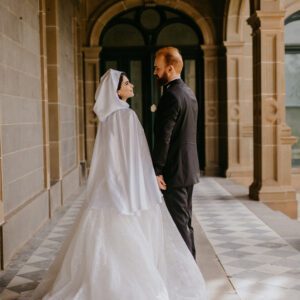
Understanding the Challenges in Group Portraits
Before diving into the optimization process, it’s essential to recognize the common challenges that group portraits present.
Uneven Lighting on Faces
In a group setting, especially outdoors in Melbourne’s variable lighting conditions, it’s common for different faces to receive varying amounts of light. Some may be in direct sunlight, resulting in harsh shadows and overexposure, while others might be in the shade, appearing underexposed and lacking detail. This uneven lighting can make the group look unbalanced and take away from the overall harmony of the portrait.
Diverse Skin Tones and Textures
A wedding group often consists of people with different skin tones and textures. Some may have fair skin that is prone to redness, while others might have darker skin that can appear dull in certain lighting. Additionally, factors like acne, wrinkles, or blemishes can be more noticeable in a group portrait, affecting the overall aesthetic and the confidence of the individuals in the photo.
Distractions in the Background
Melbourne offers a variety of backdrops for wedding photos, from bustling city streets to serene parks. However, these backgrounds can sometimes contain distractions such as passing pedestrians, vehicles, or unsightly objects. These elements can draw attention away from the group and disrupt the focus of the portrait.
Lighting Optimization for Faces
Balancing the lighting on each face in a group portrait is a key step in character optimization.
Local Exposure Adjustments
Using the brush tool in photo – editing software, you can selectively adjust the exposure of individual faces. For faces that are underexposed, gently increase the exposure to bring out the details in the shadows. Be careful not to overdo it, as this can lead to a loss of contrast and an unnatural look. For overexposed faces, reduce the exposure to recover the highlights and create a more even tone. This targeted approach ensures that each person in the group is properly lit and stands out in the portrait.
Color Correction for Natural Tones
In addition to exposure, color correction is important for achieving natural – looking skin tones. Different lighting conditions can cause skin to appear too warm (yellow) or too cool (blue). By adjusting the white balance locally on each face, you can neutralize these color casts and create a more uniform and flattering appearance. For example, if a face has a yellow tint due to indoor lighting, you can cool it down slightly to match the more natural tones of the other faces in the group.
Highlight and Shadow Enhancement
Enhancing the highlights and shadows on the faces can add depth and dimension to the group portrait. Use the dodge and burn tools to selectively lighten the highlights, such as the tops of the cheeks or the bridge of the nose, to create a sense of volume. Similarly, darken the shadows, like the areas under the chin or around the eyes, to add contrast and make the facial features more defined. This technique helps to make each face in the group look more three – dimensional and lifelike.
Skin Tone and Texture Refinement
Addressing the diverse skin tones and textures in a group portrait requires a delicate touch to ensure that everyone looks their best while maintaining a natural appearance.
Evening Out Skin Tones
To create a more cohesive look in the group, you can use tools like the color balance or selective color adjustments to even out the skin tones. Identify the dominant skin tones in the group and make subtle adjustments to bring the others in line. For example, if most of the group has a warm, olive – toned skin, you can adjust the cooler – toned skin to match more closely, creating a harmonious overall look.
Reducing Blemishes and Imperfections
While it’s important to maintain the natural beauty of each individual, minor blemishes and imperfections can be distracting in a group portrait. Use the spot – healing or clone – stamp tool to gently remove acne, scars, or other small flaws. Be sure to sample from nearby skin areas to ensure a seamless blend and avoid creating an artificial – looking result. For larger imperfections, such as deep wrinkles, you can use the smoothing tool in moderation to soften their appearance without completely erasing them, preserving the character of the person.
Enhancing Skin Texture
A healthy – looking skin texture can add to the overall appeal of a group portrait. Instead of completely smoothing out the skin, which can make it look plastic, you can use techniques to enhance the natural texture. For example, you can slightly increase the clarity or sharpness of the skin to bring out the fine details, such as the pores or the natural glow. This gives the skin a more realistic and vibrant appearance, making each person in the group look alive and radiant.
Background Distraction Removal
A clean and uncluttered background is essential for keeping the focus on the group in the portrait.
Cloning and Healing for Object Removal
If there are unwanted objects in the background, such as a trash can or a sign, you can use the clone – stamp or spot – healing tool to remove them. These tools allow you to sample from a nearby area of the background and paint over the object, effectively replacing it with the surrounding environment. Take your time to ensure a seamless blend, so that the removed object is not noticeable in the final image.
Blurring the Background
In some cases, even after removing visible distractions, the background may still be too busy or detailed, drawing attention away from the group. You can use a blurring effect, such as Gaussian blur or lens blur, to soften the background. Adjust the intensity of the blur to create a shallow depth of field effect, similar to what you would achieve with a wide – aperture lens. This helps to separate the group from the background and make them the clear focal point of the portrait.
Adding a Vignette
A vignette is a darkening of the edges of the image that can further draw the viewer’s eye towards the center, where the group is located. You can add a subtle vignette to the group portrait to create a sense of focus and intimacy. Adjust the size and strength of the vignette to ensure that it enhances the image without being too distracting. This simple technique can make a significant difference in the overall impact of the group portrait.
By following these steps for lighting optimization, skin tone and texture refinement, and background distraction removal, you can transform ordinary group portraits in Melbourne wedding photography into stunning images that capture the beauty and joy of the special day.